eCommerce returns management & RMA software: how to turn returns from a cost into a competitive edge
Returns are easy to see as just a cost, yet they shape customer experience, inventory management and profitability all at once. How returns management and RMA software turn returns from a cost center into a source of loyalty, revenue recovery and competitive edge: based on IBM, ParcelLab, ShipStation and others.
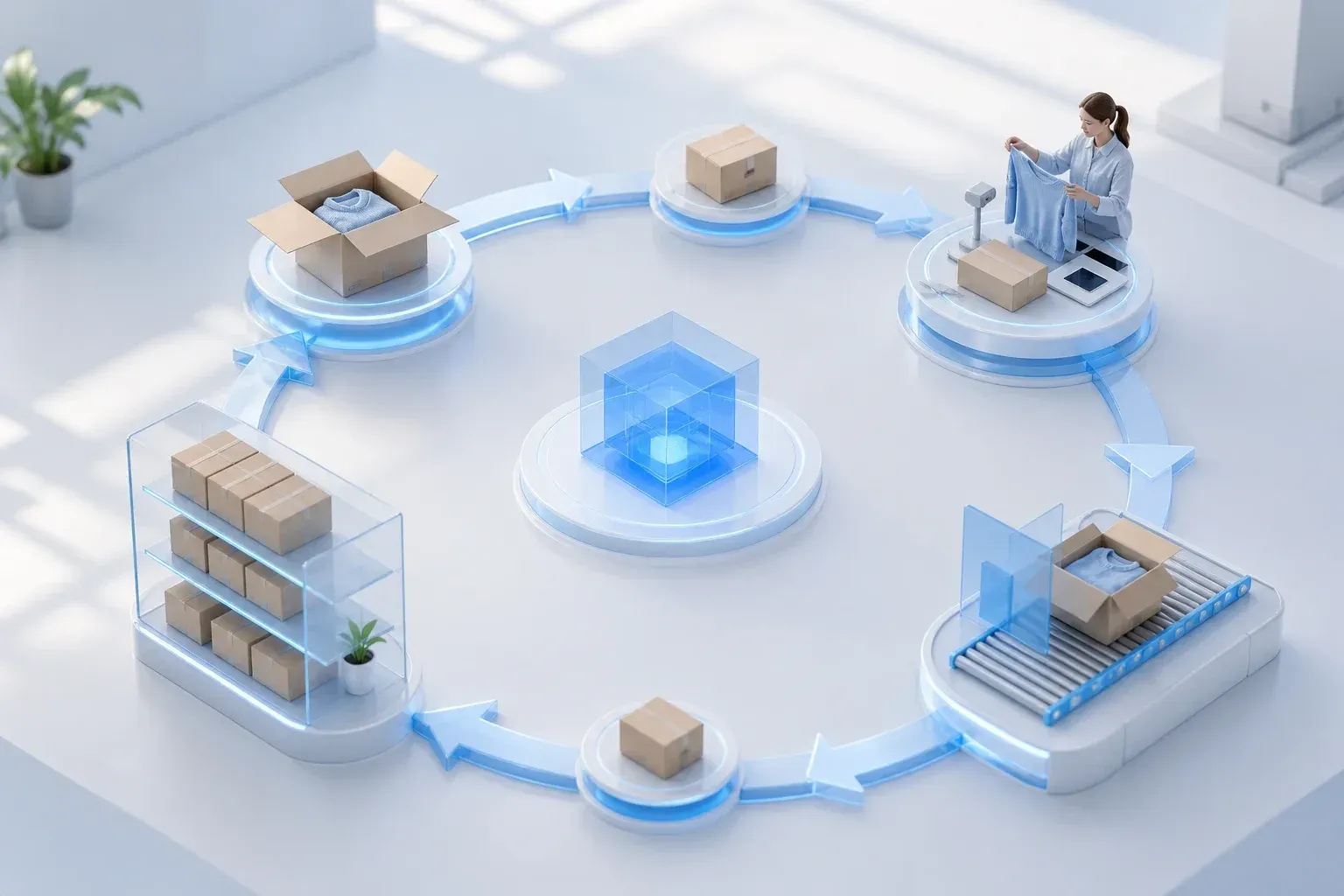
Returns are one of those areas in e-commerce that are easy to treat as just a cost, even though they actually affect the customer experience, operational efficiency, inventory management and profitability all at once. IBM emphasises that retail customer experience is not limited to the moment of purchase, but spans the entire service experience in the digital channel. If that idea is taken seriously, a return is not a post-purchase side process, but part of the same customer experience on which customer trust and future buying behaviour are built.
This is exactly where returns management and RMA software come in. Strong returns management does not just mean giving the customer the option to send goods back. It means that initiating the return, approving it, the logistics flow, inspection, exchange, credit or refund, and restocking are managed as one coherent process. When that process is manual, fragmented and opaque, returns become expensive. When it is managed, automated and customer-centric, it can start working as an instrument of loyalty and revenue recovery.
Why returns are no longer just a back-office topic
Gartner's view of customer experience stresses that the experience depends on whether the brand can give the right information at the right time, solve problems quickly and prevent friction before the customer feels it acutely. Returns are exactly the kind of moment where these principles either materialise or fall apart. When the customer does not understand how to return, what state the return is in or when the money will arrive, the whole quality of the buying experience collapses precisely where the company should be protecting trust.
Forrester's customer-experience direction supports the same idea more broadly: experience is not a single touchpoint, but the sum of interactions between brand and customer. This means the returns process is not just a logistical follow-up activity. It is part of how the customer judges the brand's reliability, fairness and service quality.
The real role of RMA software
The central value of RMA — Return Merchandise Authorization — software is structuring the process. ParcelLab describes returns management as managing the entire returns process, from initiation and collection through to sorting, inspection, restocking or disposal. nShift adds that in a strong system, the return must be digital, understandable to the customer, personalisable and trackable end to end.
This means RMA software is not just "a form for submitting a return". Its role is to tie together the customer interface, rule-based decisioning, logistics flows, inventory, quality control, exchange scenarios and the financial flow. A good RMA solution is therefore essentially a reverse-commerce orchestration hub, not a standalone utility.
Returns as a moment of loyalty, not just a cost
ShipStation describes returns management technology as a way to turn reverse logistics from a cost center into a loyalty tool. The same logic runs through ParcelLab's analysis, which stresses that a strong returns strategy should not default to refunding money, but should where possible recover value through exchanges, store credit and recommending alternative products.
This difference is strategically important. When a return always ends only in a refund, the company has little opportunity to recover sales or margin. When the process directs suitable cases toward an exchange, credit or a personalised alternative, the return partly becomes a revenue-recovery mechanism. This is where returns management turns from a purely operational topic into a growth and retention topic.
Automation cuts cost, but more importantly cuts friction
ParcelLab stresses that manually managed returns processes are slow, costly and error-prone. nShift recommends looking at the entire returns data and process flow end to end, and appointing a clear returns owner in the company who ensures that customer service, the warehouse, finance and the platform all work to the same logic.
The impact of automation is not limited to saving internal work. When the customer can initiate the return themselves, choose a reason, create a label, see the status and receive automatic notifications, both the customer-service load and the customer's uncertainty decrease. This matters, because it is precisely the uncertainty — what happens next, did the parcel arrive, when will the return be resolved — that creates much of the frustration in the returns experience.
Data turns returns into a decision tool
The strongest returns-management approaches do not view returns only as a process, but as a data layer. ParcelLab stresses that every return provides information about product quality, customer expectations, product-page accuracy, sizing information, the supply chain and segment behaviour. Clear Returns describes the same idea in analytical terms: returns can be analysed through both product and customer models to identify what causes unnecessary returns and which customer groups are most affected by them.
When this data layer goes unused, returns are limited to cost management. When this data is fed back into product data, merchandising, sizing logic, quality control and customer segments, returns management starts to reduce returns at their point of origin. This is where the value of RMA software exceeds the logistics function and becomes part of the business decision engine.
A flexible policy is stronger than a rigid universal rule
ParcelLab recommends managing return policies flexibly and on the basis of data, rather than treating the whole customer base under one universal "free or not-free returns" rule. The same logic runs through a customer-centric view of the returns experience: a loyal customer, someone returning due to the wrong size, and a chronic returner are not the same kind of case.
This does not mean unfairness, but controlled differentiation. When a company can tie the return policy to customer value, product category, reason and risk indicators, it can better protect both margin and customer experience. This is precisely why RMA software becomes important: without a systematic rules engine and visibility, such management stays too slow to do manually.
Reverse logistics as a competitiveness question
Returns management does not end with the customer's click. AutoStore and ShipStation stress that reverse logistics needs a structured physical process: collection, receiving, sorting, inspection, returning to the warehouse, routing to outlet, or disposal. If this physical side does not work together with the customer interface and RMA decision logic, the company simply becomes visibly chaotic faster, rather than a better-managed system.
This is also why solutions like ReverseLogix are seen as purpose-built returns-management systems: they solve not just the customer's submitted request, but the entire returns operating model of a B2B, B2C or hybrid environment. The larger the sales volume and the more channels there are, the less returns can be treated as a "happens occasionally" type of exception.
Strategic conclusion
Returns are no longer merely mandatory damage control in e-commerce. They are part of the customer experience, part of revenue-recovery logic, and part of operational-quality management. The world's strongest analyses point fairly unambiguously to the same conclusion: companies that digitalise and structure the returns process reduce friction, gain better visibility, use returns data more intelligently, and manage to recapture most of the value back into the system.
So the question should not be only whether an online store needs RMA software. The better question is whether the company can afford a situation where returns are still fragmented, manually managed and opaque to the customer. The greater the volume, the international reach or the customer-experience ambition, the faster returns-management software becomes not an added convenience, but a core capability.
References
IBM. Retail Customer Experience. ibm.com
Gartner (Chief Marketer). Customer Experiences Need to Exceed Expectations: Gartner. chiefmarketer.com
Forrester (CMSWire). CX Quality Is Falling. Forrester Says Total Experience Can Fix It. cmswire.com
Forrester. Customer Experience Strategy. forrester.com
ParcelLab. What is eCommerce returns management, and why is it essential for your business? parcellab.com
nShift. Customer experience — essential element of returns management. nshift.com
ShipStation. Ecommerce Returns Management: Turn Reverse Logistics Into Loyalty. shipstation.com
Clear Returns (IBM). Clear Returns changes the way retailers think. clearreturns.com
ReverseLogix. ReverseLogix Named in 2022 Gartner® Cool Vendors™ in Logistics and Customer Fulfillment. reverselogix.com
AutoStore. Enhancing Returns Management in Retail. autostoresystem.com